
How Borker Works
A complete picture of how content flows through Borker.
Borker is a content engine: it takes structured inputs (your brand voice, your topics, your blog feeds, news monitoring) and produces ready-to-post social content. Then it lets you review, approve, schedule, and publish through a single pipeline.
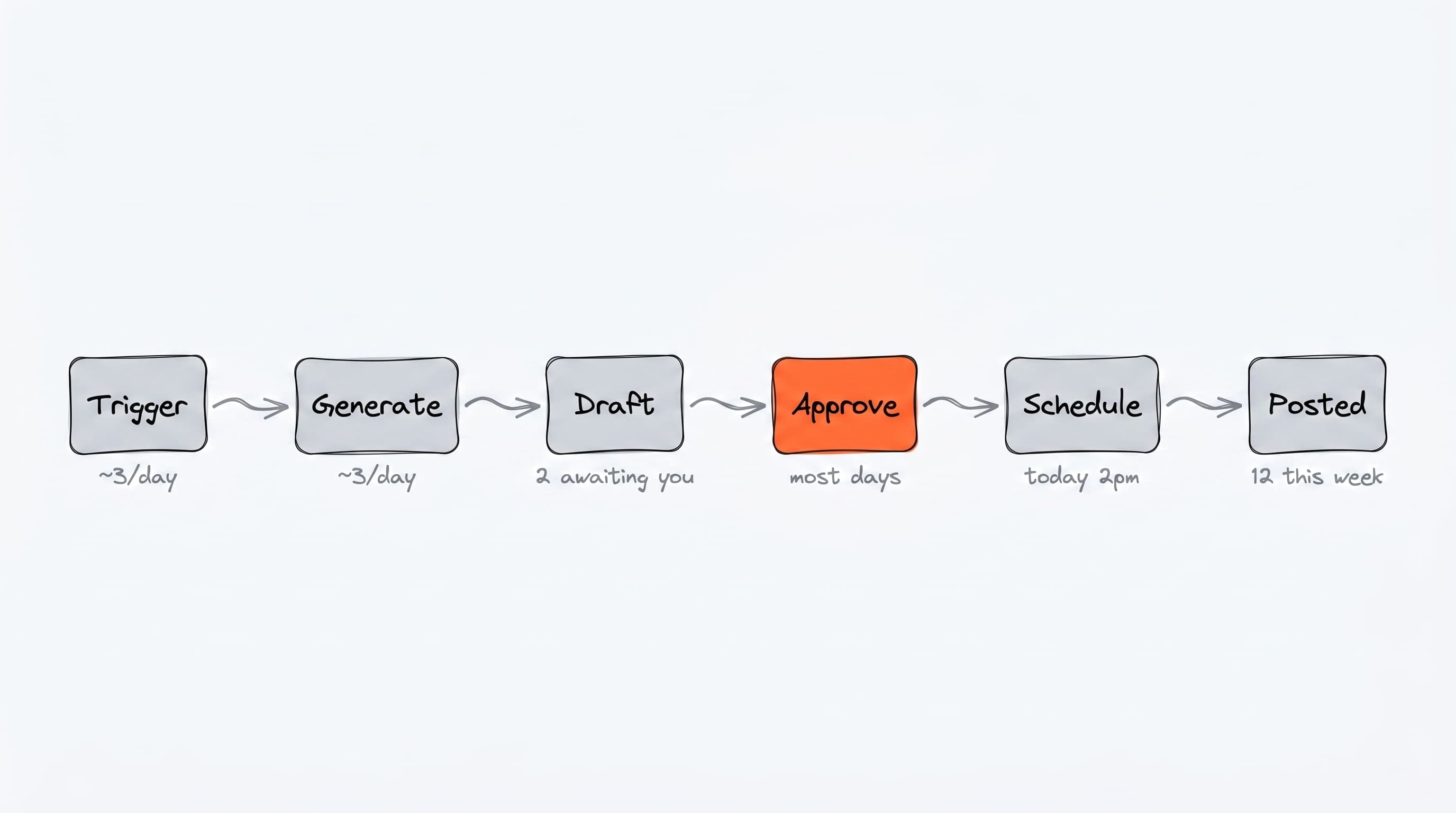
The pipeline at a glance
Every piece of content goes through the same path regardless of where it came from.
The pieces explained
Sources
A draft content item can come from many places:
- Daily generation: produces drafts for your weekly calendar slots based on your topics
- News-reactive: watches industry RSS and creates draft posts when relevant news breaks
- Auto-redistribute: turns new blog posts from your own RSS into social posts
- Campaigns: AI-designed multi-phase content plans
- Prompt bar: type a brief on the Command Center, get one piece of content
- Manual reactions: click "Create response" on any news article
You can use any combination — most users have a few sources running at once.
The Pipeline
Once a draft exists, it lives in the Content Pipeline across four tabs:
| Tab | What it means |
|---|---|
| Review | Fresh draft, waiting for your approval |
| Approved | You signed off. Waiting for Borker to give it a time |
| Scheduled | Locked to a specific publish time |
| Published | Already live on the platform |
Approve is the action you take. From there Borker moves the item along on its own. Nothing publishes that you haven't approved.
Brand voice and content generation
Every time Borker generates content (in any source), it pulls in:
- Whose voice this is: the channel the post is going to decides whether Borker writes as you or as your brand, and everything below is read for that voice
- About you / About your brand (Settings → Brand & Voice): the facts it may state in that voice
- Your standing rules: how you and your brand sound, on any subject
- The selected topic or context (depending on the source)
- Your writing, where you have added some for that voice
Claude writes the content. The output respects your tone, format, and platform constraints.
Channels and destinations
A post is written for a channel, not sent to one afterwards. Every connected channel is a destination on Content Strategy carrying two things you set:
- Its voice, yours or your brand's
- Its share of the week, how much of your posting it gets
The plan picks the channel before anything is drafted, so the draft is written in that channel's voice from the first word. You can have several channels per platform (two X accounts, say) and give each one its own voice and share.
Publishing
When a scheduled item's time comes, Borker sends it to the publishing backend, which posts it to the platform. The item moves to the Published tab automatically.
You don't manage the publishing backend directly — channel connections are handled through Borker's UI via OAuth.
The daily workflow
If you turn on automation, Borker runs the daily workflow once per day. It executes whatever you have enabled:
- Daily generation (creates drafts for today's calendar slots)
- News-reactive (creates drafts for breaking news)
- Auto-redistribute (creates drafts from new blog posts)
All three are independent toggles in Settings → Schedule → Workflow Automation.
You can also click Run workflow on the Command Center to trigger an immediate run instead of waiting for the next one.
The daily run does one more thing besides generating: it takes everything sitting in Approved without a time and schedules it into your next available calendar slots. That's how approved content reaches the world without you picking times.
Borker never publishes without your approval, unless you turn on auto-approval mode, which approves generated drafts for you. Approving is the whole decision: once an item is approved, Borker takes care of when it goes out.
Your role in the loop
Once set up, your recurring job is:
- Review the Pipeline → Review tab a few times a week
- Approve the drafts you like (bulk-friendly with checkboxes)
- Improve your brand voice, topics, and writing principles as you see what works
Scheduling isn't on the list. That's the point.
The more you configure upfront, the less hands-on it gets.